Once medications are placed on your Medications Register they are available to allocate or permit for each student.

When to Assign and when to Permit
Prescription Medications (PMO) are assigned to students. Only qualified staff should assign a prescription medication to a student. When doing so they will be required to set the frequency and dosage for the medication. Once the PMO is assigned to a student with frequency and dosage details, Reach will then maintain a daily schedule of the prescribed medications to students on the Daily Medications Board.
Over the counter (OTC) medications are an open list of medications are available in your system. These are made available for any student to take however parents or guardians are required to set the permits for a student to receive OTC medications. If a student does not have a permit for an OTC then it will not be available for them to receive.
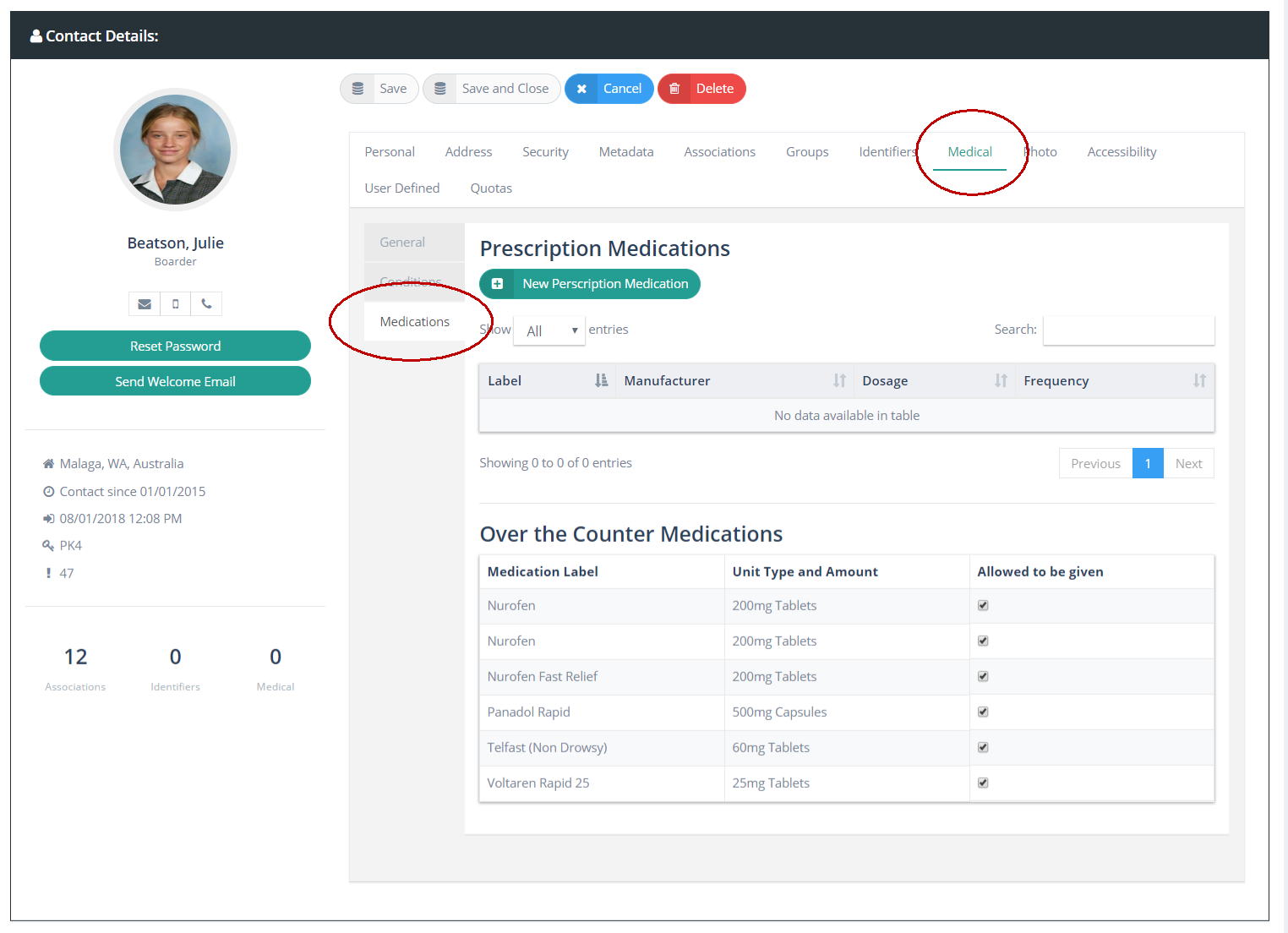
Medications for each student are managed and displayed on the Medical Tab of each student's personal profile. The medical tab has five sub-tabs in the display
General Medical Information
Medical Conditions
Medications
Medical Notes
Appointments
Consent-2-Go (if integrated)
Attributes

Permitting (or prohibiting) OTC medications
When OTC medications are created and placed on your Medications Register they become available to all students in their personal Medications Profile. By default, REACH will not allow for the administering of an OTC medication to a student unless the student has a permit for the OTC medication item category.
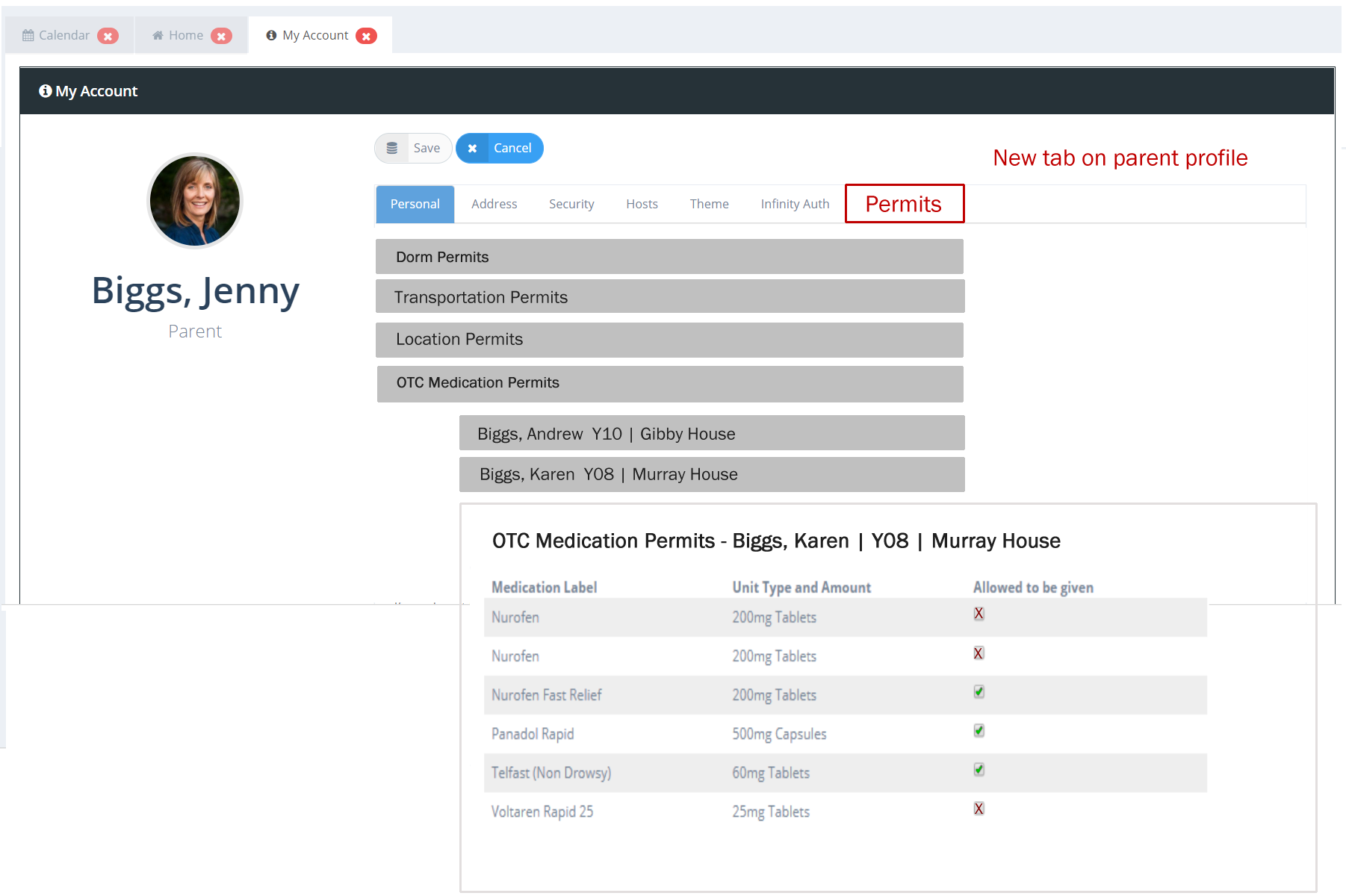
Permits and prohibitions are set by the parent as part of the Parent Permits structure in REACH. Staff who have the permission [med_assign] set to [Yes] in their Base Security (Accessibility) profile are able to set permits for students for OTC medications also.
For Parents the OTC medication permissions list is available in their My Account profile >> Parent Permissions Tab
For Staff with access to a student's medical profile a student’s OTC medication permissions is visible via the Student's profile page >> Medical Tab >> Medications Tab